
Explainer · See the category
Why your robot vacuum can map a room and still eat a cable
A detailed floor plan tells a robot where it is. Avoiding the phone charger needs another kind of attention. Here is how to compare navigation features around the floor you actually live with.
By Michael McLaughlin · AI assisted
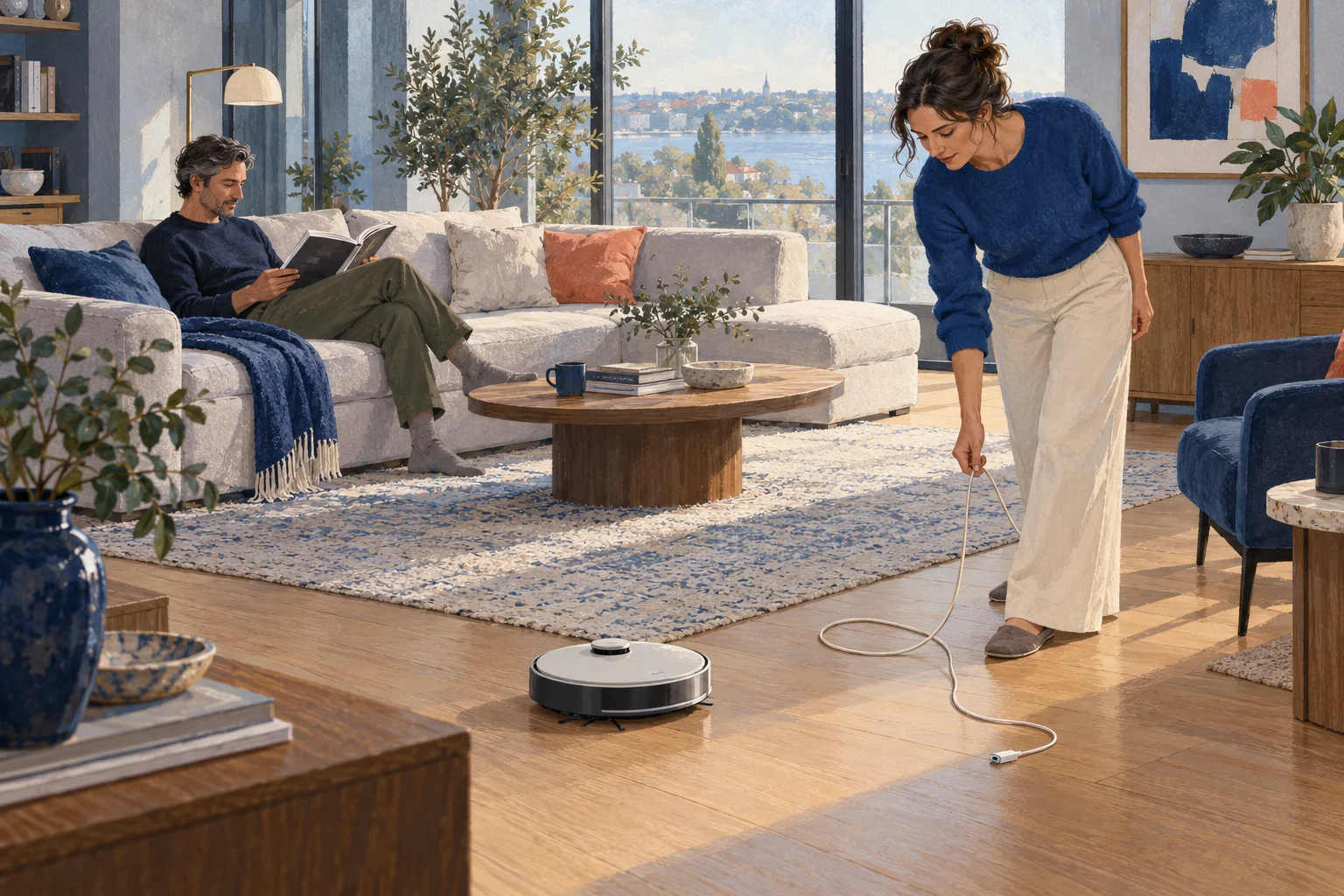
AI-generated illustration — not a product photograph.
Clearing a charging cable before a clean, imagined.
Imagine opening a cleaning app and finding a neat plan of your living room, complete with a route around the sofa. Then you find the vacuum stopped beside it, wearing a charging cable.
The map and the mishap can both make sense. Finding a route through a room and noticing a small object directly in front of the brushes are different problems. A product can have an elaborate answer to the first and a much less capable answer to the second. Roborock explains that distinction in its own account of how mapping and obstacle recognition work together.3
For a buyer, that changes the question. “Does it have LiDAR?” is a useful start. If cables and toys are what interrupt cleaning in your home, the next question matters more: what detects those objects, and what does the manufacturer still expect you to pick up?
What the room map knows
A navigating vacuum must estimate its position while building or using a representation of the room. You will see the term SLAM, short for simultaneous localization and mapping. Visual SLAM uses camera images and recognizable features; LiDAR supplies laser-based distance information. Either can contribute to the robot’s understanding of its surroundings, and systems can combine several inputs.1
The resulting map can be useful. iRobot’s camera-mapping models, for example, use landmarks to create reusable maps with identifiable rooms. Its ClearView maps support targeted cleaning and areas you want excluded.27 The benefit is practical: you can send it to the kitchen without cleaning every room.
But a cable needs attention at floor level. In Roborock’s explanation of the S7 MaxV, the top-mounted LiDAR handles overall mapping, while structured light, a colour camera and processing support nearby object recognition. That system combines measurements of an object’s distance and dimensions with images showing its colour and texture.3 Knowing where the sofa stands does not automatically settle what is lying beside it.
Cameras and LiDAR often work together
Treat the exact model as the unit of comparison. Even within Roomba, the answer changes between generations. Here are three documented examples, rather than a ranking of their cleaning performance.
| Example | Room mapping | Nearby-object system | What the distinction tells you |
|---|---|---|---|
| Roomba Combo j9+ | Camera landmarks and Imprint mapping | Front-facing camera with PrecisionVision | A camera can contribute to mapping and recognition. Check the cleaning mode as well as the hardware.24 |
| Roomba Plus 505 Combo | ClearView LiDAR | Front-facing camera with PrecisionVision | A LiDAR model can also contain a camera.24 |
| Roborock Saros 10R | Non-rotating 3D time-of-flight LiDAR | RGB camera and lateral obstacle sensing | LiDAR does not always mean a raised spinning turret or a camera-free machine.5 |
These examples follow the makers’ English-language documentation. Check the exact version and features sold in your country; the table makes no claim about local stock or delivery.
There is a further wrinkle for the older Roomba examples. iRobot says PrecisionVision is inactive during training or mapping runs on its j series and Combo 10 Max.4 A feature available while cleaning may be absent while the robot first explores the house. That is a good reason to read setup instructions before introducing it to a floor full of toys.
Choose for the awkward part of your home
Cleaning the kitchen after you tidy it is one job. Clearing the crumbs without first collecting everyone’s chargers is a more demanding one. If less preparation is what you want, compare the obstacle system against the objects that usually get left behind.
The manual provides a useful reality check. Roborock’s S8 MaxV Ultra instructions still tell owners to clear cords and loose items and follow the first cleaning route to spot problems.6 Recognition features deserve attention, but buying them does not cancel the preparation instructions.
Timing matters too. Camera-based sensing can struggle in low light, while laser mapping is less dependent on ambient lighting.1 The complete robot still has to function under those conditions. iRobot’s camera guidance says its front LED is insufficient for running in darkness, and its ClearView setup guide recommends lighting.47 For an after-dark schedule, check the candidate’s instructions for both navigation and obstacle detection.
If the important dust is under the sofa, measure that gap. Roborock takes two different approaches with the Saros 10 and 10R: the former has retractable laser hardware, while the latter uses a non-rotating system.5 Compare actual operating height and clearance guidance rather than assuming that choosing a camera is the only way under low furniture.
And if a mirror reaches the floor, inspect the first map. iRobot warns that reflective surfaces can produce confusing layouts and phantom rooms.7 An extra room appearing in the app is unlikely to improve your property valuation.
Camera preferences deserve their own decision. A LiDAR label does not exclude an RGB camera, as the table shows. Nor does removing image capture settle every data question: iRobot’s privacy policy separately lists floorplans and cleaning zones among device-environment information.8 Check image and map settings for the exact product.
What we would prioritize
For a mostly clear floor, focus first on the room controls, access and lighting your routine needs. For a floor that regularly holds cables and toys, make the documented small-object system a priority, then compare relevant independent tests before paying for a promise of less preparation.
We would not pay more for a sophisticated map alone to solve a cable problem. Choose the machine around the interruption you want removed, while keeping its preparation requirements realistic. The satisfying outcome is a finished clean with fewer rescues. A beautiful floor plan is useful only if it helps get you there.
Sources and further reading
- MathWorks: What is SLAM?, including visual, LiDAR and multi-sensor methods. Used for the technical distinction, not product rankings.
- iRobot: How does my robot navigate?, with separate model-family descriptions.
- Roborock: Understanding how robot vacuums navigate, a 2022 explanation using the S7 MaxV. Its historical example is not a test of today’s models.
- iRobot: Camera, PrecisionVision and Obstacle Image Review, including mapping-run and lighting restrictions.
- Roborock: Saros 10R solid-state LiDAR versus Saros 10 retractable LDS.
- Roborock: S8 MaxV Ultra manual, printed page 10, installation and first-use notes. The cited English edition covers a 120-V configuration.
- iRobot: Guide to ClearView LiDAR Maps, including zones, setup and mirror troubleshooting.
- iRobot: Privacy policy, device-environment information. Product descriptions here come from documentation, not testing by Robots in the House.
Related directory records
Sources and claim notes
- ap014 d01
- Map/navigation and nearby object recognition can use different components; opening and mapping sectionSource(opens in a new tab)
Source context
Source 3, S7 MaxV explanation, lines 20–30. Historical example explains architecture, not a universal implementation
- ap014 d02
- SLAM definition; camera imagery/landmarks, laser distance input and combined sensors; mapping sectionSource(opens in a new tab)
Source context
Source 1, definition/types, lines 77, 108–112, 138–166. General explanation; no common product benchmark implied
- ap014 d03
- Camera-mapping Roombas use landmarks/reusable maps; Combo j9+ table rowSource(opens in a new tab)
Source context
Source 2, iAdapt 3.0 block, lines 48–59. Named family includes Combo j9+; no sales-status assertion
- ap014 d04
- ClearView supports targeted/excluded areas; mapping sectionSource(opens in a new tab)
Source context
Source 7, Map Customization/Zones, lines 58–67. Compatible models/account/app apply; no safety barrier assurance
- ap014 d05
- Nearby S7 MaxV system combines distance/dimensions with image colour/texture; mapping sectionSource(opens in a new tab)
Source context
Source 3, Reactive AI 2.0 components and explanation, lines 20–29. Maker's S7 MaxV example; not every LiDAR is ToF
- ap014 d06
- Plus 505 has LiDAR mapping and a front camera; table rowSource(opens in a new tab)
Source context
Source 2, Plus 500 mapping/camera block, lines 20–30; cross-check source 4 model list, lines 21–29. Family description plus exact Plus 505 camera listing; not current stock or performance
- ap014 d07
- Combo j9+ has front-camera PrecisionVision; table rowSource(opens in a new tab)
Source context
Source 4, model list and feature table, lines 21–46. A documented feature, not a tested avoidance result
- ap014 d08
- Saros 10R combines non-rotating 3D ToF with RGB and lateral sensing; table rowSource(opens in a new tab)
Source context
Source 5, item 1, line 35. Exact model architecture only
- ap014 d09
- PrecisionVision inactive on j series/Combo 10 Max training/mapping runs; paragraph after tableSource(opens in a new tab)
Source context
Source 4, note under How it works, line 33. Do not extend to Plus 505 or newer LiDAR families
- ap014 d10
- Clear cords/loose items and follow first cleaning route; household sectionSource(opens in a new tab)
Source context
Source 6, printed p10 B1 and notes, PDF index 9, lines 277–293. Exact S8 MaxV Ultra manual, not a claim of first-hand failures
- ap014 d11
- General camera/laser lighting distinction; household timing paragraphSource(opens in a new tab)
Source context
Source 1, Multi-Sensor SLAM, line 166. Sensing distinction only; not a complete-product night-use promise
- ap014 d12
- iRobot front LED restriction and ClearView light recommendation; same paragraphSource(opens in a new tab)
Source context
Source 4, How it works line 32; source 7 setup lines 37–39. Broad support wording; article explicitly sends reader to exact candidate instructions
- ap014 d13
- Saros 10 retractable versus 10R non-rotating hardware; sofa paragraphSource(opens in a new tab)
Source context
Source 5, items 1/2, lines 35–36. No minimum gap or clearance guarantee asserted
- ap014 d14
- Mirrors/reflective surfaces can confuse ClearView maps/create phantom space; mirror paragraphSource(opens in a new tab)
Source context
Source 7, Mirrors/Extra rooms, lines 99–108. Scoped troubleshooting; no DIY sensor modification advised
- ap014 d15
- Policy lists floorplans and zones separately as environment data; privacy paragraphSource(opens in a new tab)
Source context
Source 8, Table 1, line 557. Policy content, not an audit or detailed lifecycle assertion Release-day source check by AI agent /root/p7_b1_release_sources, completed 2026-10-30 00:25:55 UTC, publisher date 2026-10-29 (America/Lima). Full existing scoped assertion reproduced without meaning change. IROBOT-PRIVACY: Displayed update November6,2024; Table1 device-environment row557. Receipt: docs/production/2026-10-29/p7-b1-release-day-sources/source-receipts.json. Existing confidence and all limitations/conflicts retained; no implementation audit or personal verification by Michael implied.
- ap014 d16
- Prioritize exact object system for clutter, room controls/access for clear floors; opening and conclusionEstimateSource(opens in a new tab)
Source context
Synthesis of D01, D03–D10 and model instructions. Explicit editorial judgment; common independent tests could justify a narrower model recommendation